

eSignal Trading Software
Get award-winning online charting tools, streaming stock quotes and direct access to your choice of broker – all from a single, customizable trading platform.

Get started with eSignal
Learn the basics of downloading, installing and launching eSignal.

Intro to Market Screener Plus
Scan dozens of exchanges and customize your own scans to discover new trade set-ups.

Market Screener Plus - How to
Scan dozens of exchanges and customize your own scans to discover new trade set-ups.

Drawing tools
eSignal’s drawing tools can identify trends, pinpoint areas of support and resistance, and isolate areas of time and price.

Daytrading setup: Charts
Find new ways to set up your charts for short term trading while keeping track of major markets.

Point and Figure Charting
Introduction to the new and improved Point and Figure charts of eSignal.

Candlesticks
Learn how to harness the potential of EFS (eSignal Formula Script) to identify candlestick patterns in real time.

Chart Types
Learn how to apply various chart types like Candlesticks, Point & Figure and Volume Delta.
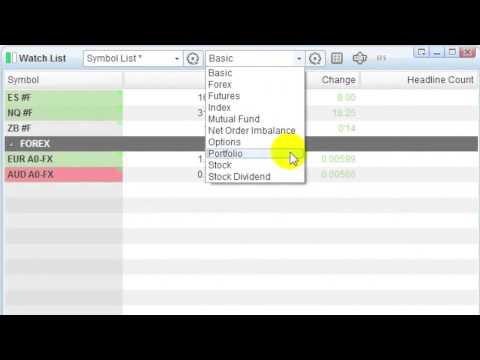
Watch Lists
Build customized watch lists or import pre-built sector and index constituents lists.


Market Depth
Learn how to isolate trading opportunities by watching the institutional order flow.


Market Screener Plus: Expressions
Learn how to use expressions to customize your scans in Market Screener Plus.

Market Screener Plus: Saving and Importing
See how to save, import and export filters in Market Screener plus to optimize your scan results.

Trade Manager
Trade directly from your charts and manage your orders quickly and easily with the eSignal Trade Manager.

Trading Integration
Learn how you can configure and trade with your choice of broker, right from within eSignal.

Advanced GET Elliott Type I Trading Strategy
A trend continuation trade used to discover the consistent portion of a trending market.

Advanced GET Elliott Type II Trading Strategy
A countertrend trade that attempts to predict the end of the trend.

Advanced GET False Bar Stochastic Trading Strategy
The trade with the fewest moving parts and a high degree of accuracy.

Advanced GET XTL Breakout Trading Strategy
Lower in probability than the rest of our core strategies, but they reward you with large returns.

Advanced GET Trading Software
Combines the power of eSignal with award-winning technical analysis indicators.

On-Demand Partner Webinars
Visit our YouTube channel to watch more partner webinar videos.

1st in Series: Making Ratio Charts
Visit our YouTube channel to watch more partner webinar videos.

2nd in Series: Analyze Multiple Sympols on a Single Chart
This video shows you how to put multiple symbols on a single chart in the eSignal platform.

3rd in Series: Optimize the Display of Gann Levels
This installment will show users how to customize the display of the TradeSight Gann tool.